
Case Study · 3 min read · Updated November 17, 2026
Case Study: English and Thai Captions at Huawei Partner Summit 2026
How TranSphere translated the keynotes of Huawei Partner Summit 2026 at The Ritz-Carlton Hotel Bangkok into English and Thai: captions in both languages on screens at each side of the stage, and AI voice interpretation on partners’ phones.
EN · TH
Languages live
Side screens
Captions on stage
AI voice
On attendees’ phones
TranSphere translated the keynotes of Huawei Partner Summit 2026 at The Ritz-Carlton Hotel Bangkok into English and Thai. Captions in both languages ran on screens at each side of the stage, and partners could listen to AI voice interpretation on their own phones.
This page describes how a corporate partner summit was delivered in two languages without interpreter booths.
The event
The summit gathered Huawei's enterprise channel partners from across the Asia-Pacific region in a hotel ballroom: a keynote program on one main stage, covering the year's business results and plans.
A partner audience in Bangkok is mixed. Some attendees follow English comfortably, many prefer Thai, and all of them need the figures on the slides and the words from the stage to match.
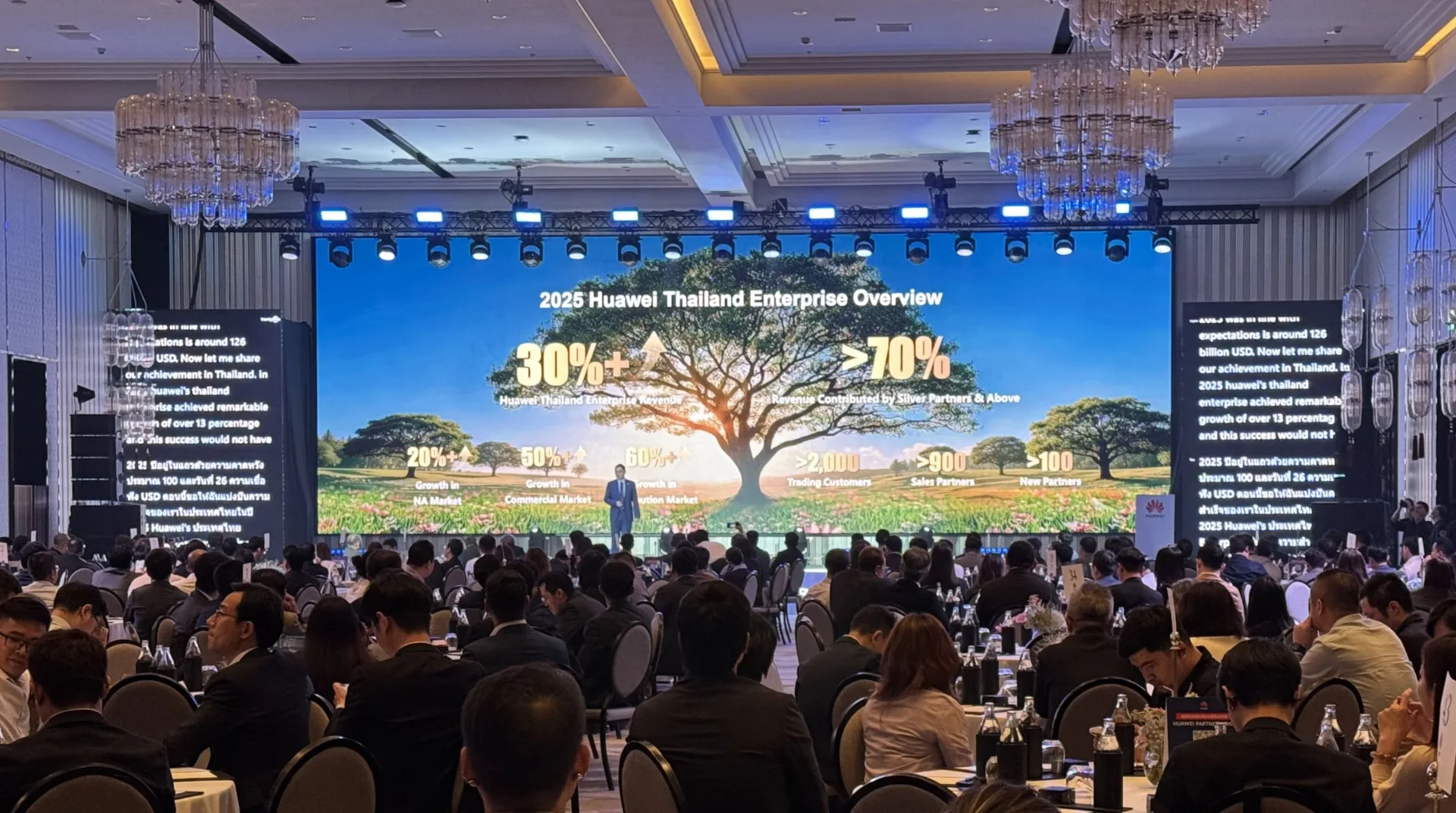
A keynote at Huawei Partner Summit 2026. The screens at each side of the stage carry the live captions in English and Thai.
Languages provided
- English
- Thai
Both ran for the keynotes, side by side on the caption screens and as separate choices on the phone.
Captions on stage, voice on mobile
The ballroom already had a wide main screen for slides and a tall screen at each side. The side screens became the caption screens:
- Both side screens showed the same captions, English above Thai, so every table had a clear view of one of them.
- The main screen stayed free for the presenters' slides. Nothing was overlaid on the content.
- Phones carried AI voice interpretation for partners who preferred to listen. Scanning a QR code opened the viewer in the browser, with no app to install and no receiver to collect.
TranSphere's operator ran the desk beside the AV team, taking the audio from the house mixer and sending captions to the side screens over HDMI.
Numbers and names
Partner keynotes are dense with figures, product names and company names. TranSphere handles these in two ways: product and program terms can be loaded as custom terminology before the event so they are written consistently, and the operator can correct a caption live if a name comes out wrong.
What this deployment shows
- Side screens are the natural place for captions. A ballroom with a screen at each side can show two languages without touching the slides.
- Two languages, one audio feed. English and Thai ran in parallel from the same mixer output.
- Corporate events fit the same setup as conferences. A laptop, an audio feed and a screen input were all the venue had to provide.
Frequently asked questions
Can captions be shown without covering the slides? Yes. Here they ran on separate side screens. Where there is only one screen, captions can run as a band along its edge.
Can product names and company terms be prepared in advance? Yes. Custom terminology is loaded before the event, and the operator can edit captions during the session.
What does the venue need to provide? An audio feed from the mixer, a screen input for the captions and a stable internet connection. See what goes into a conference translation quote for the full brief.
Planning a partner summit or corporate event? Request a quote, or compare AI and human interpretation first.