
Case Study · 3 min read · Updated November 17, 2026
Case Study: English, Chinese and Malay at WAIC Connect Malaysia 2026
How TranSphere carried every main-forum session of WAIC Connect Malaysia 2026 at the Kuala Lumpur Convention Centre in English, Chinese and Malay at once: live captions on a side screen, AI voice interpretation on attendees’ phones, and a transcript and AI summary after each talk.
EN · ZH · MS
Languages live
Captions + AI voice
Delivery
Every talk
Transcript and summary
TranSphere carried every main-forum session of WAIC Connect Malaysia 2026 at the Kuala Lumpur Convention Centre in three languages at once: English, Chinese and Malay. Captions ran on a screen beside the stage, attendees listened to AI voice interpretation on their own phones, and each talk ended with a transcript and an AI summary.
This page describes how a three-language AI forum was delivered without interpreter booths.
The event
WAIC Connect Malaysia 2026 was an AI summit held at the Kuala Lumpur Convention Centre, with a main forum of keynotes and talks in front of an audience that read English, Chinese or Malay.
The requirement was simple to state: whoever was speaking, everyone in the hall should be able to follow in one of those three languages.
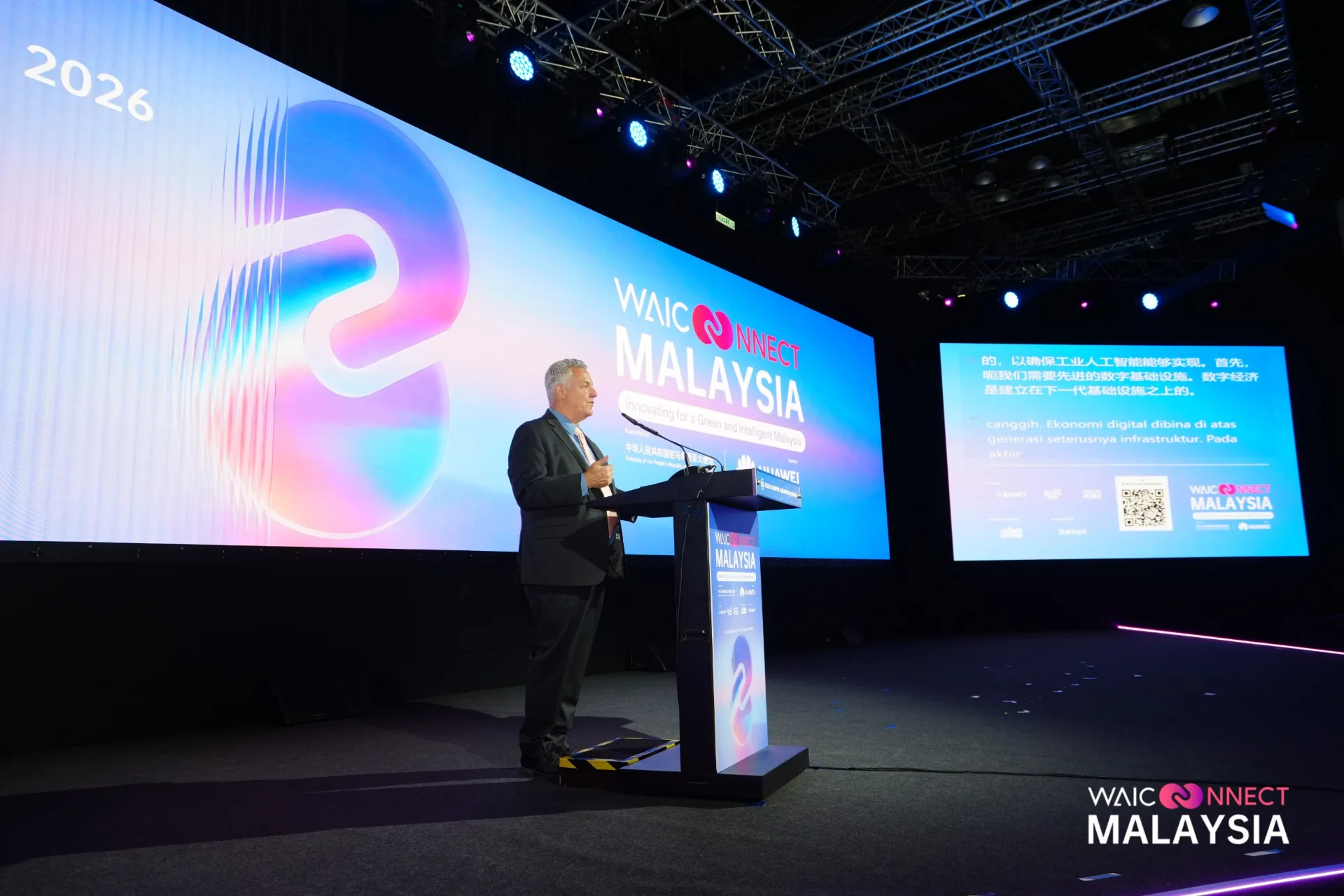
A main-forum talk at WAIC Connect Malaysia 2026. The screen on the right shows live Chinese and Malay captions, with the QR code for phone access below them.
Languages provided
- English
- Chinese
- Malay
All three ran for every main-forum session. The side screen showed the translations of whatever the speaker was saying, and the phone viewer offered all three plus the option to listen.
Captions on the screen, voice on the phone
The forum used both delivery channels together:
- The side screen showed live captions in two languages at once, readable from the seats, so nobody needed a device to follow.
- The QR code sat on that same screen for the whole session. Scanning it opened the viewer in the phone's browser, with no app to install.
- AI voice interpretation played through each attendee's own earphones in the language they picked, for those who preferred to listen and keep their eyes on the stage.
No receivers were handed out or collected.
Transcripts and summaries after each talk
Every session was saved as a transcript, and an AI summary was generated when it ended. For a forum where talks follow each other closely, that gave attendees a way to catch up on a talk they had missed, in their own language, before the next one finished.
What this deployment shows
- Three languages can share one stage. English, Chinese and Malay ran in parallel from a single audio feed.
- A screen and a phone cover different attendees. Captions on the side screen served the whole hall; voice on the phone served those who wanted to listen.
- The QR code belongs on the caption screen. Keeping it visible all session meant late arrivals could join without asking anyone.
Frequently asked questions
Can captions in two languages be shown on one screen? Yes. This forum showed Chinese and Malay captions together on a side screen for the whole session.
How does AI voice interpretation reach attendees? Through their own phone and earphones. They scan the QR code, choose a language and press play. No receivers or headsets are distributed.
Does TranSphere support Malay? Yes. Malay ran alongside English and Chinese for every main-forum session here. See the guide to choosing a provider for what to ask about language coverage.
Planning a multilingual forum? Request a quote, or read what AI event translation is if you are new to the approach.